Standby Continuous Replication (SCR) and “High-Availability”

 07 Dec 2007 12:01:36 pm

I’ve seen quite a few articles lately talking about SCR and referring to it (or putting it in the same bucket as) High-Availability solutions. Even Microsoft has done this with some of their documentation (i.e. http://technet.microsoft.com/en-us/library/bb676571.aspx). Yes if you delve deeper into the documentation you’ll see that they refer to SCR as a ‘resilience’ feature (which is much more accurate) however I don’t think a lot of their customers are receiving or understanding this message.

Because of this I’ve actually run into several customers who were “waiting for SP1 to be released” because they wanted to build “highly available solutions” (obviously this was prior to its release last week).

SP1 does introduce one multi-site high-availability “feature”, and that is support for Server 2008 (due to be released Q1 '08 ). Server 2008 adds in MSCS support for multi-site clustering so you could extend your CCR Cluster across the WAN*, but this is really a Server 2008 feature and not so much an Exchange 2007 SP1 feature. If this is what those customers are after they need to be waiting for Server 2008!

That said why do I say it’s not a “High-Availability” feature, a couple of very important reasons:
• It requires manual ‘failover’ to your standby server
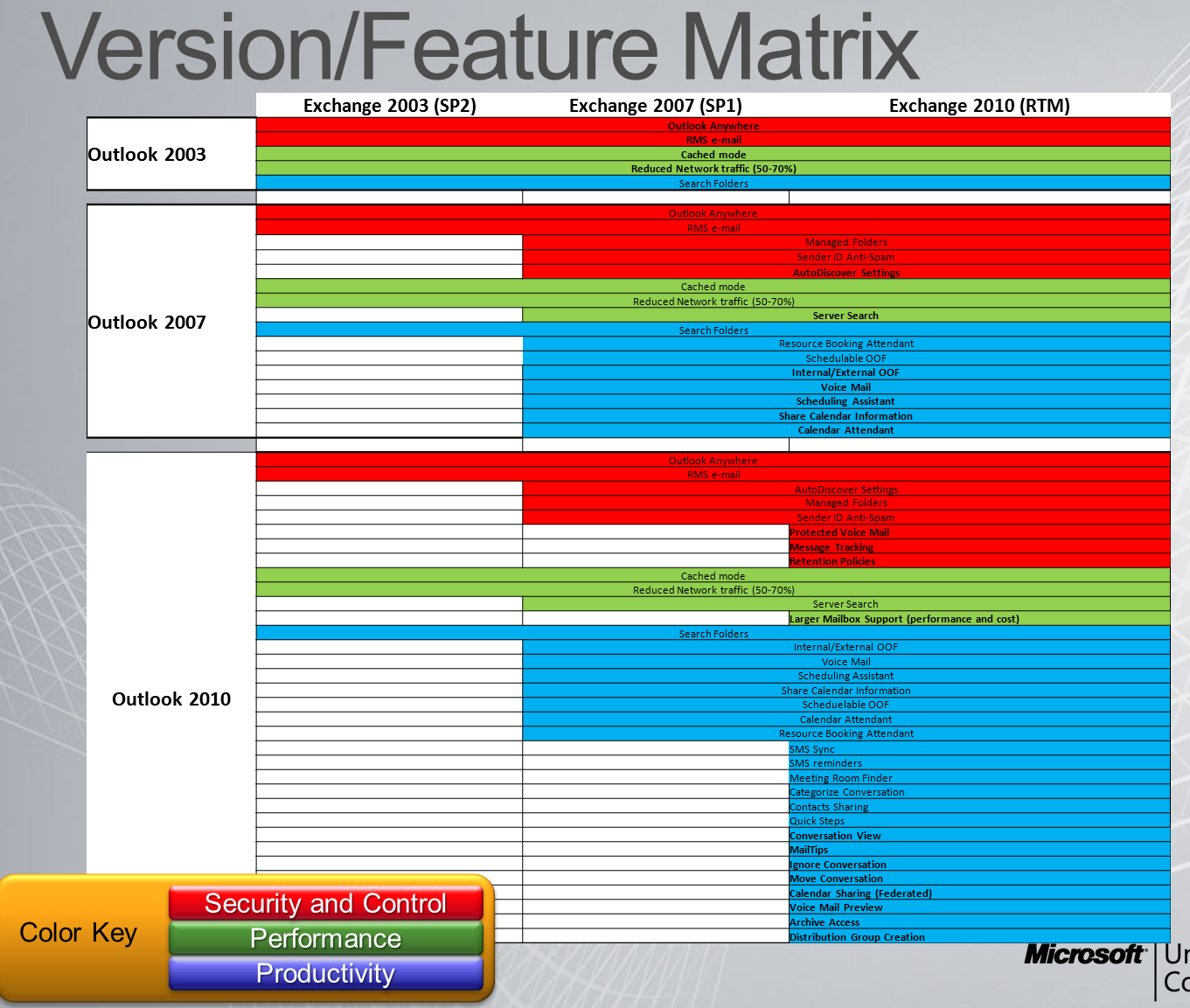
• Legacy Outlook clients (i.e. Outlook 2003) will not automatically reconnect to the standby server, they would need to have their profile updated

So, if you want High Availability continue use of your CCR and SCC clusters for mailboxes. If you want Disaster Recover/Resiliency look into SCR.

-Erik Szewczyk

*There are some caveats here with a CCR or SCC cluster in Exchange 2007, for example they must be part of the same AD Site.

By : Erik | Category: Exchange | Comments [ [1]] | Trackbacks [0]

  Ex2k7Script PowerShell Script not created (Unity/Exchange)

 04 Dec 2007 12:34:41 pm

When you re-partner Cisco Unity 5.x with your Exchange 2007 mailbox server the reconfiguration guide states that a PowerShell script, Ex2k7Script_<servername>.ps1 should be created. However when doing a re-partner this weekend this script was never created nor could I find any documentation about what the script is and what it does.

If you find this page because you run into the same issue you should first contact Cisco TAC. If the script is not created there is probably a reason for it (in our case I’m assuming because the objects were already created). But so you have some background information the script creates 3 user accounts with the New-Mailbox commandlet; the 'Unity_NAME01' account, the 'USbms_NAME01' account and the 'EAdminXXXXXX' account (that’s it). So check to see if these accounts already exist and have mailboxes on your Exchange 2007 mailbox server.

Cheers,
Erik

By : Erik | Category: Exchange | Comments [ [6]] | Trackbacks [0]

  On taking 70-236 (MSTS: Exchange 2007, Configuring)

 20 Nov 2007 09:27:53 pm

Last week I took my first of the new line of MSFT certification exams, the MSTS: Exchange 2007, Configuring exam. In support of those who plan on taking it in the near future I figured I would offer some suggestions and strategies while you study.

First some quick background. I’ve been installing/supporting Exchange since 5.5 and have my MCSE/MCSA Messaging specializations on 2003 (so I am no stranger to Exchange or the Exchange exams).

For study purposes I picked up Sybex’s recently released book on this exam (link); I used this book rather than any others primarily since Microsoft Press’s book is on backorder through most vendors and I did not locate it on any store shelves (or anything else for that matter). I only gave myself 4 days to study for this exam so I went with whatever I could get my hands on. I started with Sybex’s assessment and bonus test #1; which I respectively got 80% and 76% on.

The exam focuses primarily on installing and configuring Exchange 2007 (as opposed to design, troubleshooting, etc.). I passed it on my first try with a score in the 790’s; not a great score but I’m happy considering how little time I gave myself to prepare for the exam.

What you must know to pass this exam:
1. Know some basics about supporting Server 2003 and Active Directory.
2. Know the PowerShell (Monad) commands for everything in Exchange 2007, the exam asked as many questions regarding performing actions in PowerShell as it did in the Exchange Management Console.
3. Know the setup switches.
4. Understand the functions of the various Exchange roles and how they relate to each other.

If you plan on taking it I highly recommend you already have some experience installing Exchange 2007, you’ve installed using several scenarios in a lab environment, and you use one of the available study guides out there.

Good luck,
Erik Szewczyk
MCSE: Messaging 2003; MCTS: Exchange 2007, Configuring; Windows Server MVP; CCNA

By : Erik | Category: Exchange | Comments [ [2]] | Trackbacks [0]

  Unity users not showing in AD Users & Computers?

 26 Aug 2007 09:38:10 am

Some user object created or modified by Cisco Unity fail to show in Active Directory Users and Computers unless Advanced Features is enabled.

In addition to simple view issues some tools (i.e. Microsoft’s own ADMT) fail to locate user accounts. This is how I ran into the issue this weekend, trying to do a migration for one of our customers. Fortunately for them only about 100 mailboxes were affected.

As I understand it this is thanks to Cisco Unity (confirmed in 4.2.1 and 5.x). Looking at the Directory attributes it modifies (AD attriutes unity has access to) you’ll notice that the Unity attribute AVP_HIDDEN_IN_DIRECTORY is listed for both the msExchHideFromAddressLists (which stops a user from getting displayed in the Exchange address lists that someone would look at in Outlook) as well as the showInAdvancedViewOnly attribute (which stops it from getting displayed in a host of other places). Although I haven’t been able to do extensive testing I’m fairly confident now that when you set a user as hidden from the directory in Unity it’s modifying both attributes in AD and that is the root of the problem.

So the question is how to fix it?
What I ended up doing was to use ldifde.exe to export the user objects where the attribute was set to true:

Code :
> ldifde -f hidden_users.ldf -r "(&(objectClass=user)(showInAdvancedViewOnly=TRUE))" -l showInAdvancedViewOnly

Next I used PowerShell to parse the LDF file and give me a list of the DNs of the users to fix:
Code :
> Get-Content hidden_users.ldf | where { $_ -like “dn:*” } | Out-File Users-to-fix.txt

And assembled a quick PowerShell script to generate a new LDF for import:
Code :
Fix-hidden-users.ps1
---------------------------------
Get-Content $fixusers | foreach-Object -process {
Write-Output $_ >> fixed_users.ldf
Write-Output "changetype: modify" >> fixed_users.ldf
Write-Output "replace: showInAdvancedViewOnly" >> fixed_users.ldf
Write-Output "showInAdvancedViewOnly: FALSE" >> fixed_users.ldf
Write-Output "-" >> fixed_users.ldf
Write-Output "" >> fixed_users.ldf }

Set the filename variable and run it:
Code :
> Set-Variable fixusers Users-to-fix.txt
> .fix-hidden-users.ps1

Lastly use ldifde.exe again to import the changes:
Code :
> ldifde -i -f fixed_users.ldf


As usual the typical disclaimers apply. There may be a good reason that your accounts are hidden so do your homework first; you also may want to consider limiting the scope of your LDF export by specifying the base DN with the -d switch. Any damage you cause you cause by using the above tasks/scripts is your own problem, USE AT YOUR OWN RISK!

Good Luck!

Erik Szewczyk

By : Erik | Category: Active Directory | Comments [ [9]] | Trackbacks [0]

  How to move the DPM_SYSTEM_STATE storage location

 11 Jun 2007 12:12:42 pm

If you’ve had the opportunity to play around with beta 2 of Microsoft’s new System Center Data Protection Manager v2 (DPM 2007) you’ll probably notice that for servers that you enable system state protection a DPM_SYSTEM_STATE directory will be created in the root of your system drive to house the local replica…

A problem with this is that this can easily consume 800+ MB of space and this can be a problem on some servers. I’ve got a couple servers in my lab that don’t have much to spare (which is where I ran into it).

Now before you run and make this change the usual disclaimer applies. I haven’t confirmed these changes with Microsoft and can make no guarantees that this will work for you. I also don’t know if it will work the same when DPM 2007 gets released.

All that said the way that I know of to change the location is to edit:
"C:\Program Files\Microsoft Data Protection Manager\DPM\Datasources\PSDataSourceConfig.xml"

If you search the file for the "<FilesToProtect>" section you should see the existing path, edit this piece of the config and point it to wherever you want to store the local replica.
Next remove Computer\SystemState from the protection group (deleting the files) and re-add it.

What you should see is the new .bkf file get created wherever you specified. You can safely delete the old DPM_SYSTEM_STATE directory at this point.

Cheers,
Erik

By : Erik | Category: General | Comments [ [2]] | Trackbacks [0]


Aug 2010 September 2010 Oct 2010
S M T W T F S
      1 2 3 4
5 6 7 8 9 10 11
12 13 14 15 16 17 18
19 20 21 22 23 24 25
26 27 28 29 30   

Categories

Recent

Archives

User List

Search

Syndication

rss0.90
rss_2.0